A fitness app should make it easier to know what to do next, not give you another generic plan to figure out on your own.
Primed4Life brings training and nutrition planning, workout logging and ongoing feedback together in one place. It’s AI-led, with the option to upgrade to support from a human coach. The aim is simple: give you practical guidance you can use to keep moving and training for life.
Here’s a closer look at how the app works, from your first setup to your weekly review.
Start with a plan that fits you
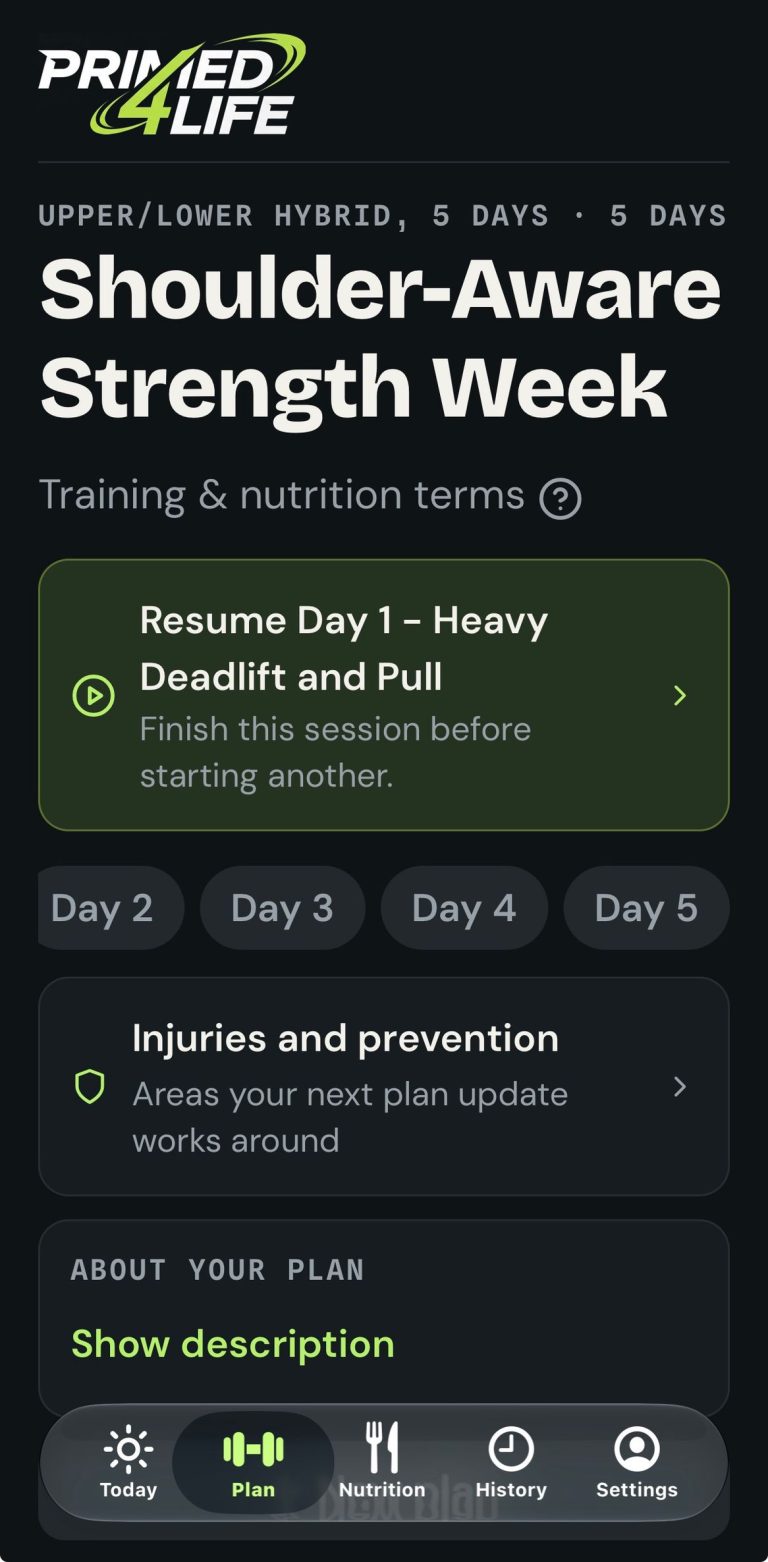
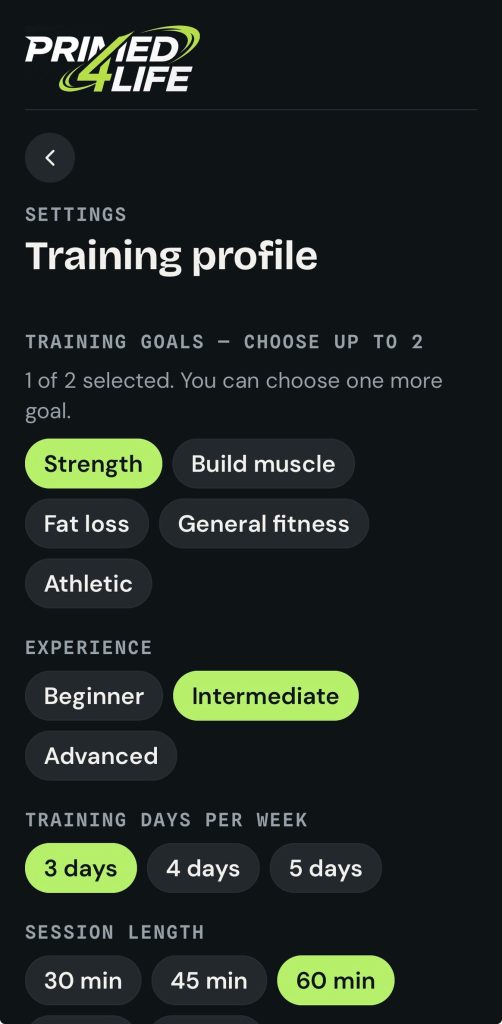
Tell Primed4Life about your training goals, experience, available equipment, preferred number of training days and session length. You can also share injuries or niggles you need the plan to account for.
Setup takes about three minutes. Your answers help shape a 3, 4 or 5-day training split, with exercises, sets, reps and rest periods mapped out for each session. Progressive overload is built in, so your training has a structure for progressing over time.

You don’t need a gym membership to begin. Your plan can be built around a fully equipped gym, a pair of dumbbells at home or bodyweight training. It’s designed to suit your starting point, whether you’re new to exercise or already lifting regularly.
Your plan isn’t meant to be a template you have to squeeze yourself into. It gives you a clear starting structure that reflects the information you share.
Train around niggles, not through pain
If an exercise doesn’t suit you, you need a sensible way to respond, not pressure to push through it. Primed4Life is designed to account for injuries and recurring niggles from the start. Plans can include pain-free regressions, alternative exercises, and prehab and mobility work.
If something hurts mid-set, flag it in the app so your plan can adapt. The goal is to help you find an appropriate way to keep training where you can, rather than forcing a movement that feels wrong.
This is a useful distinction: app guidance can support exercise planning, but it can’t diagnose an injury or replace care from a qualified health professional. Stop if you experience sharp or worsening pain, and seek professional advice if symptoms concern you. For more on training with niggles, read our guide to injury-aware home training.
Follow your workout, one step at a time
On a training day, the Today screen brings your workout and nutrition summary together. You can pick up where you left off, log your work and check exercise technique videos as you go.

Each movement comes with its planned sets, reps and rest periods. Logging your sessions also gives you a record to refer to next time, helping you see what you did before and how your training is progressing.
That record makes progression more practical. Rather than guessing whether to add weight or change your routine, you can look at previous sessions and follow the plan’s progression. For more on that approach, see how progressive overload can help you move past a plateau.
Make everyday food easier to plan
Primed4Life calculates calorie and protein targets using details such as your height, weight, activity level and goal. It can then turn those targets into a 7-day meal plan built around everyday foods and ingredients you can find in UK supermarkets.
Your plan can take account of dietary preferences, allergies and foods you dislike. Meals come with step-by-step recipes, and you can swap meals with a tap if you want another option. A shopping list grouped by aisle helps you see what to buy.

The Nutrition screen brings key information together: your food log, daily targets and shopping list. It’s there to help you make food choices feel more organised, not to make every meal a test.
Targets and meal plans are general app guidance. If you have specific medical or nutritional needs, get advice from an appropriately qualified professional.
Use weekly feedback to choose your next step
Once a week, you can complete a check-in covering your weight, progress photos, mood, sleep and motivation. Primed4Life reviews that information alongside your training and food logs to help show what’s going well and what might need attention.
The feedback is intended to be honest without being harsh or fluffy: clear observations, linked to your own activity, and practical suggestions for the week ahead. You then choose whether to generate an adjusted plan or keep your current one. Changes don’t happen without your approval.
A monthly account review adds a wider view of your progress, including a realistic projection of when you might reach your goal based on how things are going. The point is to give you useful context, not a promise or a deadline.
Ask Coach Remi or bring in a human coach
Coach Remi is the app’s AI specialist. You can ask questions about training, exercise technique, food or recovery at any time. Remi can use your plan and logged information for context, so your questions connect to what you’re actually doing.

The app also includes an Apple Health integration card showing information such as steps, sleep, resting heart rate and bodyweight. These details can add context to your progress and check-ins.
If you’d rather work directly with a person, you can upgrade to one-to-one support from a qualified human coach. They can personally review check-ins, create custom programming and message you through the app. The AI-led option is available as standard; a human coach is an additional choice for anyone who wants that personal connection.
Look back and see what you’ve done
The Logbook History screen keeps a record of past training sessions. You can review details such as workout duration, sets, weight lifted and RPE, the effort level you reported for a session.

Looking back can help you spot patterns: sessions completed, weights used and how hard training felt. It gives you something concrete to review when you’re planning your next workout or checking in on your progress.
One app, more choice in how you train
Primed4Life brings together features people often look for from a workout planner app, exercise planner app, personal training app and AI meal planner. Instead of juggling separate tools for routines, meals and progress, you can use one app for the planning and tracking loop.
The app is built to make expert-style support more accessible, not to claim that an app replaces a personal trainer, nutritionist or physiotherapist. You get a structured plan, food guidance, injury-aware exercise options and feedback, with the choice to add a human coach when you want one.
Your first training plan and nutrition plan are free, and setup takes about three minutes. Primed4Life is live now at app.primed4life.com. Native iPhone and Android apps are coming soon.
Start with your goals, see what your plan looks like, and choose the next step that works for you.
Your first plan is free
Get a training plan and 7-day nutrition plan built around your goals, equipment and any injuries.